
Blended Learning Research

On September 27, 2022 AlphaPlus hosted our first Community Gabfest.
The conversation starter for the first Gabfest was Jim Tysick’s video The Way Forward.
Jim is an experienced and innovative literacy instructor who works at the Sharbot Lake location of the Northern Connections Adult Learning Centres literacy program. In the summer of 2022, he participated in the AlphaPlus Wayfinders Maker Space and created a video about changing his teaching styles to increase learner agency and independence. In The Way Forward, Jim describes how he is changing from a “sage on the stage” approach to become a “guide on the side” teacher.
Here are two quotes that inspire and inform Jim’s work:
We used a Jamboard to guide our conversation: Wayfinders Gabfest 1 Jamboard.
Resources mentioned in the video
Scott Young
Presenters from three programs share how they are using game-based learning and quizzes for fun and quick learning activities.
“We are essentially social beings. We live in societies, of course; but more fundamentally perhaps, it is our participation in social communities and cultural practices that provides the very materials out of which we construct who we are, give meaning to what we do, and understand what we know.”
— Etienne Wenger, Communities of practice: where learning happens, Benchmark Magazine, Fall Issue 1991
We created this resource with the Silver Linings Café participants in June 2020. We updated it in October 2022.
The Silver Linings Café was an Metro Toronto Movement for Literacy initiative that AlphaPlus was invited to participate in.
This resource includes ideas from the Silver Linings Café instructors for how to engage learners and build community in video conferences (Zoom) during the pivot to remote learning during the COVID-19 lock down period. We were all getting used to working in this new environment and came together to share ideas, support each other and figure out how to support learners and learning.

Synchronous learning is where learner(s) and facilitators(s) meet in the same place, at the same time, so learning can take place. This can happen in bricks—and-mortar classrooms or online meetings. Synchronous learning may include a whole class, smaller groups or one-to-one instruction.
In synchronous learning, learners usually go through a learning path together, accompanied by a facilitator who can provide support while learners are completing tasks and activities.
Examples of synchronous learning tools:

Asynchronous learning is a teaching method where learners use their agency and autonomy differently and is widely used in online learning. Its basic premise is that learning can occur in different times and spaces particular to each learner.
In asynchronous learning, facilitators usually set up a learning path which students engage with at their own pace.
Examples of synchronous learning tools:
Email, What’s App, Google Drive, Google Sites, Learning Management Systems such as Canvas, BrightSpace or Moodle…
Reference: Asynchronous vs. Synchronous Learning: A Quick Overview by Maria Ocando Finol
On this site you can read our Position Paper on Blended Learning online and browse a collection of resources to help you and the audiences you communicate with learn about blended learning as an approach.
and graphics you can share with staff, learners, volunteers and community partners
If you’d like a copy of this site to use as a starting point to adapt and expand for use in your program, please get in touch. AlphaPlus can give you a copy and support you in learning how to use a website builder such as Google Sites or Weebly as online learning spaces for learners, staff and volunteers.
“I’ve always found this compilation of models quite mind-boggling. I find it very difficult to keep all the permutations of a blended learning approach straight. In a conversation with some very wise literacy practitioners from Ontario, I suddenly realized why. I think that instead of reading these models of prescriptions of how to design the delivery of blended learning, we should read them as descriptions of all the ways that educators have developed and adapted a blended learning approach to specific contexts and to meet the needs and circumstances of specific learners.
There is a lot of professional knowledge and wisdom here and, perhaps more importantly, demonstrations of how that wisdom and knowledge is applied in the real world. These models are the curriculum planning frameworks in action.“
Tracey Mollins.
Contact me at tracey@alphaplus.ca to talk about blended learning delivery models.
Here are the models described on the website:
These frameworks were developed to help educators design and develop technology-rich learning environments. The frameworks help us determine the level of technology integration in the learning environment and evaluate if the technology is enhancing, extending and/or transforming learning.
Tracey Mollins
Contact me at tracey@alphaplus.ca to talk about blended learning delivery models.
These are the Frameworks described on the website
What are some ways to empower learners with choice?
We can make sure learners have agency over the elements of learning such as
Choice Boards are a type of hyperdoc where activities are organized in a grid, often like a tic-tac-toe board or a bingo board. Learners make choices about what activities they do and mark them on the grid as they finish. Unlike a proper hyperdoc, choice boards do not necessarily tale a learner through a complete learning cycle.
Using hyperdocs is also part of a blended learning approach. Here is more about hyperdocs:
Here is more about Choice Boards from Ditch That Textbook:
Some samples that Educator Network participants found:
And here is a collection of Choice Board templates from SlidesMania shared with us by Lindy Hockenbary from EDTech Teacher:
If you’d like to learn more about Choice Boards, contact Tracey.
P.S. Here is an amazing collaboration non-hyperdoc choice board I saw from @modernclassproj on Twitter.
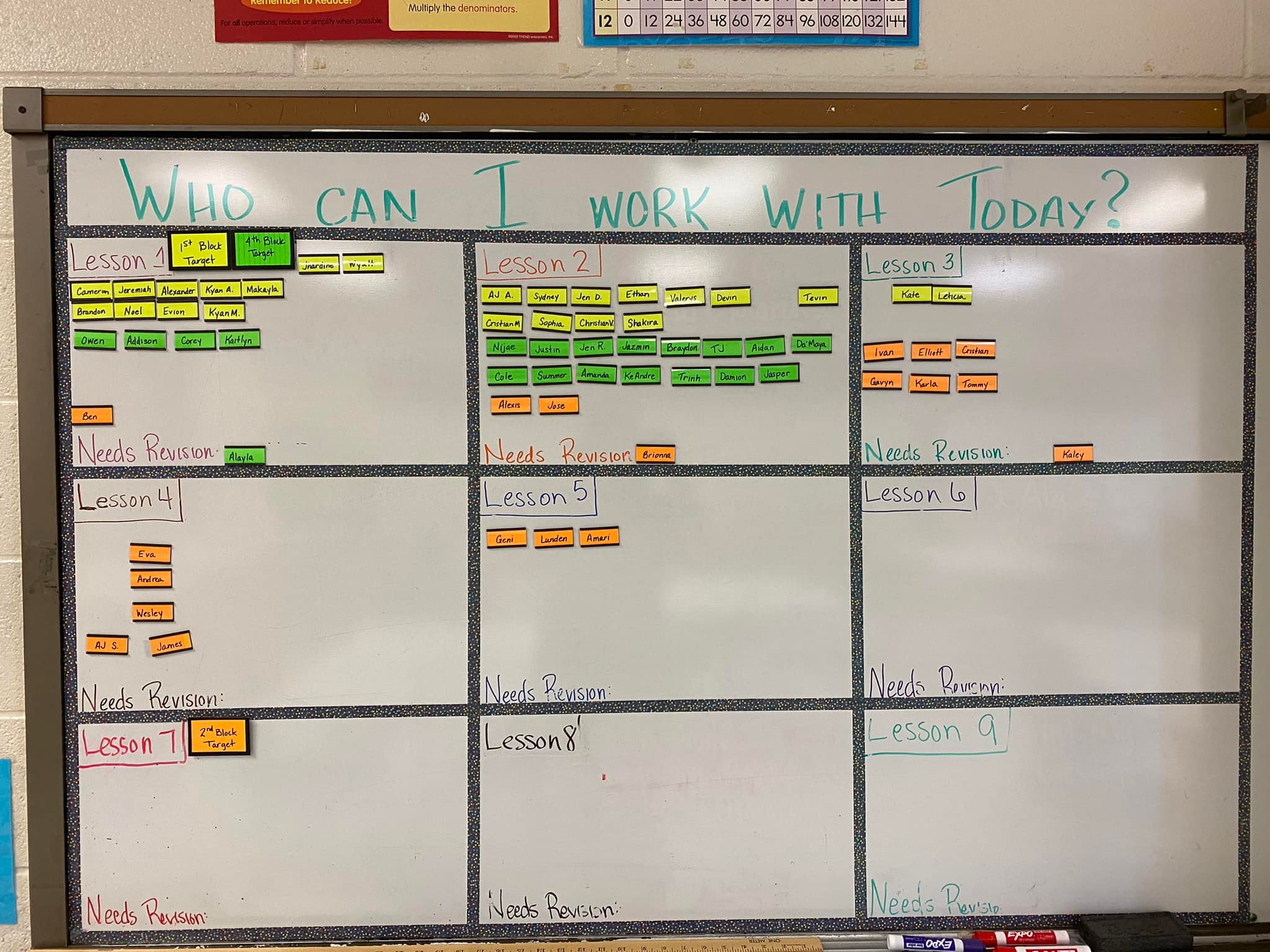
Collaboration and self-pacing? Totally possible in a Modern Classroom! Kim Myers Manning shared with our Facebook group how she sets up her whiteboard to facilitate both.
Canvas is a robust learning management system you can use for free.
Often called an LMS for short, a learning management system is an online platform that provides the framework and tools to handle all aspects of the learning process – it’s where you house, deliver, and track your training content.
An LMS is designed to make life easier for curriculum designers, instructors and learners. An LMS can streamline the process of identifying and assessing learning goals, keeping track of progress and collecting and presenting data for evaluating learning and how the learning environment is supporting learners.
If you’d like to learn more about Canvas or schedule a demonstration, contact Tracey or our Quick Tech Help service.
Google has announced that it is “winding down” Jamboard. If you are using Jamboard you probably got the announcement. If you haven’t started using it, you might want to think about an alternative. If you are using it now, you can keep doing that until December 31, 2024. See more below.
Jamboard is a whiteboard that has an online version that you can use for free. Users can add text, sticky notes, images, and links. You can create online discussions and opportunities for synchronous or asynchronous collaborative or individual learning.
In the Sample Jamboards folder you can see activities by some Ontario literacy practitioners (and me) that you can copy and adapt.
You will also see a folder called EDTechTeacher Samples where you will find copies of many of the Jamboards that were shared in the shared in the Building digital skills with Google workshop.
If you’d like to learn more about Jamboard or schedule a demonstration, contact Tracey or our Quick Tech Help service.
“Starting October 1, 2024, you’ll no longer be able to create new or edit existing Jams on any platform, including the web, iOS, and Android. Between October 1, 2024 and December 31, 2024, the app will be placed in “view-only” mode, during which time you can continue to back up your Jam files. Learn more.”
“After December 31, 2024, the Jamboard app will be shut down. You will no longer be able to view your Jams, and all Jam data will be permanently deleted. If there are Jams that you wish to keep, we encourage you to use one of our export or migration options. Learn how to Export your Jams.”
Google is recommending three alternatives. They are all much more complex whiteboards with steeper learning curves and they all require users to log in. They have quite limited free versions. We are looking for an alternative that is as simple to use as Jamboard that are open-source and free or low cost. In the meantime, you might try Padlet.
The alternative I like best so far so far is whiteboard.chat. You can make frames as you can in Jamboard so that different learners of groups of learners can work on activities. It can be integrated with Google Classroom or Microsoft Teams. It does not require users to create accounts. It has activities such as math quizzes that you can insert. You can play around for free – you do not even have to make an account to test it out. Unfortunately, the free account is quite limited. We are not ready to recommend it yet but so far, whiteboard.chat looks promising. If you try it out, let us know what you think.
There also are ways of using Slides to do some of the things Jamboard does. Contact Tracey to learn more.